All news · Patch notes
Patch 1.0.130: higher FPS on phones, bigger windows and a smarter HIT button
The phone version got a full performance pass: the graphics engine is now tuned for phones to fix stutter and low FPS. Windows and skill buttons are bigger and HIT now picks a target by itself. Feedback from our players is also addressed in this update.
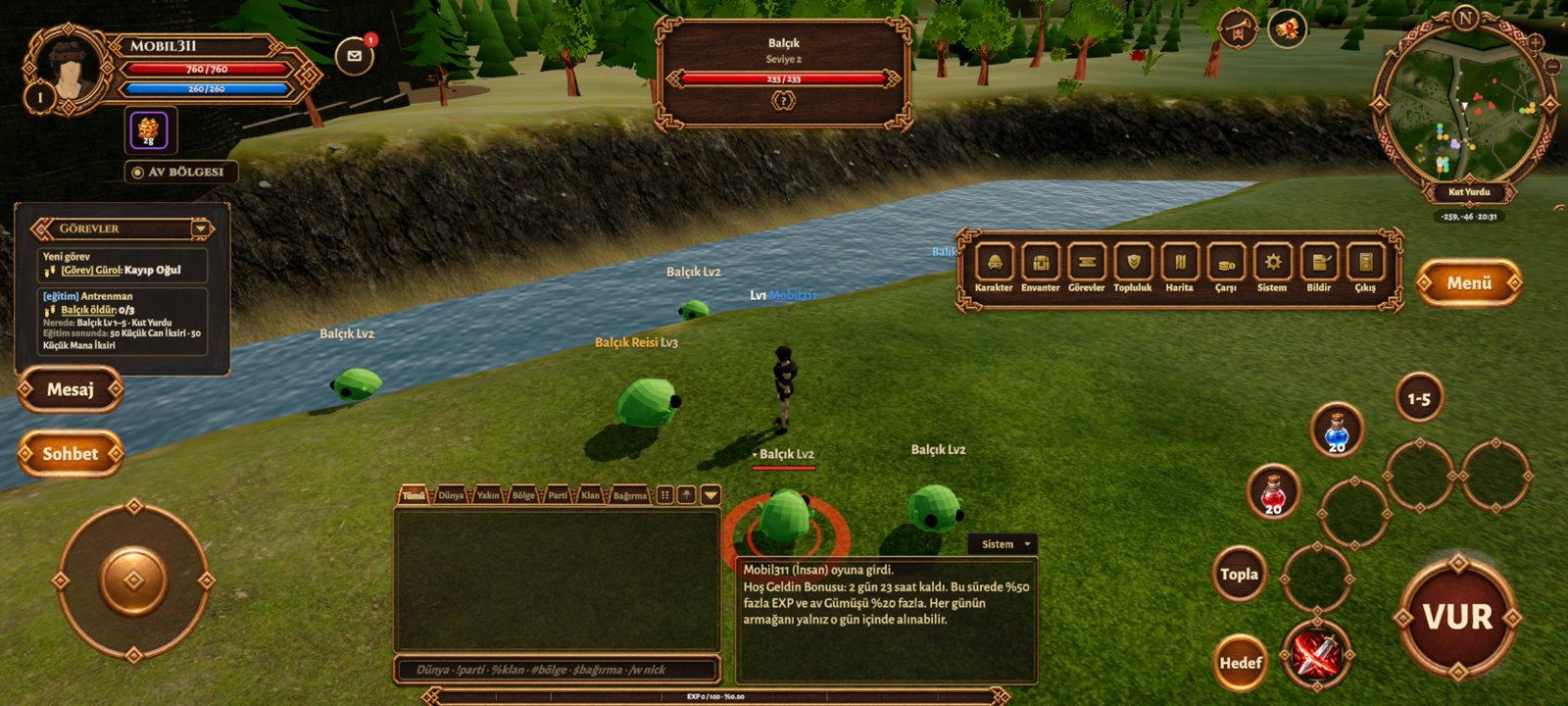
- Higher FPSon Low and Medium, terrain, plants and characters are drawn with lighter phone-specific shaders. Grass, tree and rock draw distance now follows the graphics setting; resolution is 70% on Medium and 85% on High, and Low caps the game at 30 FPS so the phone stays cooler.
- •Automatic smoothness: if the game stays below 24 FPS for 15 seconds, graphics drop one level and you are told. If you raise the setting yourself in Settings > Graphics, the game will not change it again.
- Bigger windowsthe inventory, Skills and other windows scale to the phone screen; you can scroll a window that does not fit with your finger. The quest panel is bigger too.
- •Huge interface size: the quest panel no longer stays small; when space is tight the PM and Chat buttons move to the right of the panel.
- •Bigger skill buttons: the skill and potion buttons around HIT are larger and easier to tap.
- Smart HITtap HIT with no target selected and the nearest monster is selected and attacked. With no monster nearby you strike in front of you.
- Chat boxthe chat box that ended up behind the movement stick is back in its fixed place and can no longer be dragged by accident.
- Private messagesthe X on the window now closes the window and its tab and also lowers the keyboard. The conversation stays under PM > Conversations; remove it completely with Delete.
- •Mage (PC and phone): after casting a ranged spell your character no longer runs up to the target for a basic hit, it stays in place.
- Updateeveryone plays the same version. When you open Kuzark the new version downloads inside the game; on phones just tap Update when Android asks.