All news · Patch notes
Patch 1.0.125: Sharper interface, narrower windows
Text and icons look sharper, windows are narrow enough not to cover the screen, and the skill bar now sits exactly centered on the EXP bar.
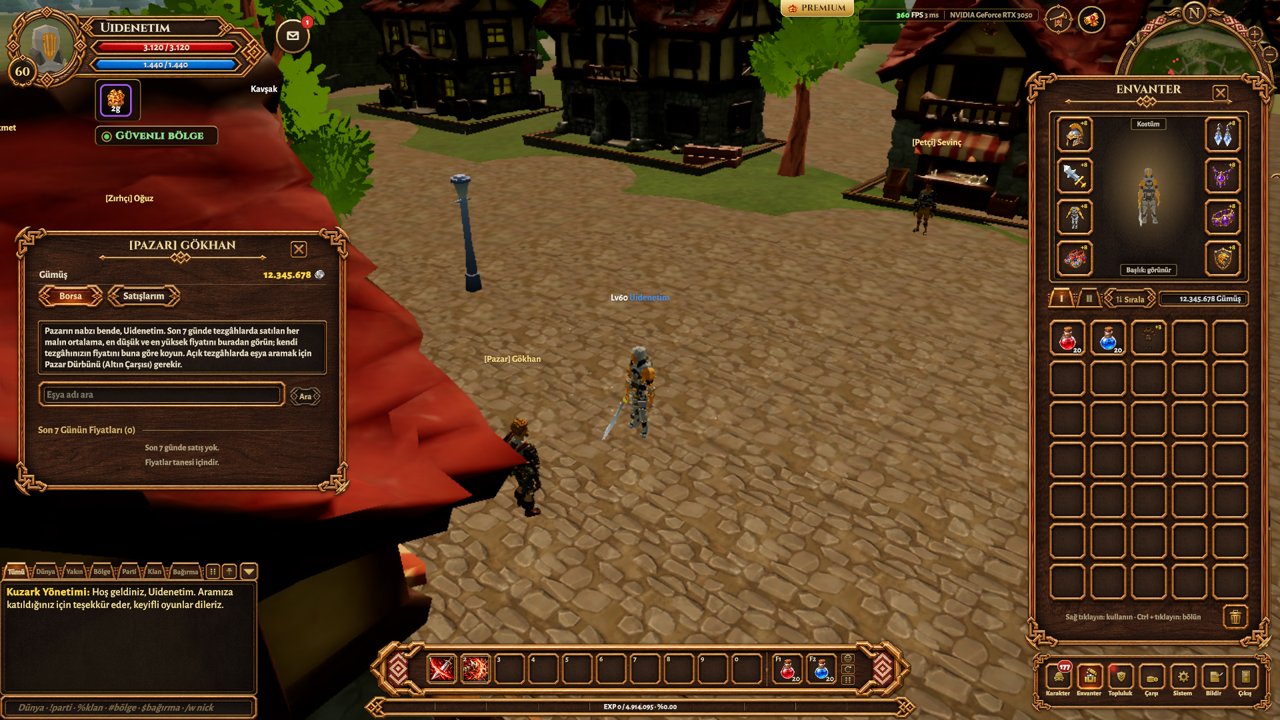
- •The skill bar now stays centered right above the EXP bar at every interface scale and window size. Drag it aside and it stays there; double-click to return it to the center.
- •Icons no longer look jagged when scaled down; inventory, skill and theme images are smoother and sharper. The interface stays crisp on low graphics settings too.
- •The hard text shadow was softened, so letters read cleaner. The Username and Password labels on the login screen are larger and easier to read.
- •Windows got narrower: System (Settings, Shortcuts, Guide) and Wiki 640 px, Quests 640, Community 600, Shop 860. Long lists scroll or page inside the window.
- •The Skills, Professions and Achievements windows no longer overlap the character portrait.
- •Market Steward tab labels no longer touch the tab edges; in Talisman Bonuses, names and values no longer run together.
- •The footprint icon in the quest panel was redrawn.